Website CMS Operations & Page Editing Manual
This comprehensive guide details every page, section, practice area, and global setting available in the Dollar Tax Savers LLC Admin Portal. Follow the step-by-step instructions below to update content, manage client consultations, edit blog posts, and configure dynamic section blocks.
System Architecture & Real-Time Publishing
The Dollar Tax Savers platform uses a dual-engine architecture designed for enterprise security, extreme loading speed, and effortless content management.
Next.js 16 App Router (Live Frontend)
Serves ultra-fast, search-engine optimized web pages to prospective clients. Features server-side rendering, instant page transitions, and responsive mobile navigation.
CodeIgniter 4 CMS (Admin Portal)
The secure management backend where administrators edit banners, text, FAQs, testimonials, services, and view client consultation requests.
Automatic Instant Revalidation (ISR)
Whenever you click Save Changes in the Admin Panel, the system instantly triggers an automatic cache revalidation signal. Your edits appear on the live website immediately without requiring any developer intervention.
Admin Portal Access & Authentication
Follow these instructions and steps to securely log in to the administrative dashboard.
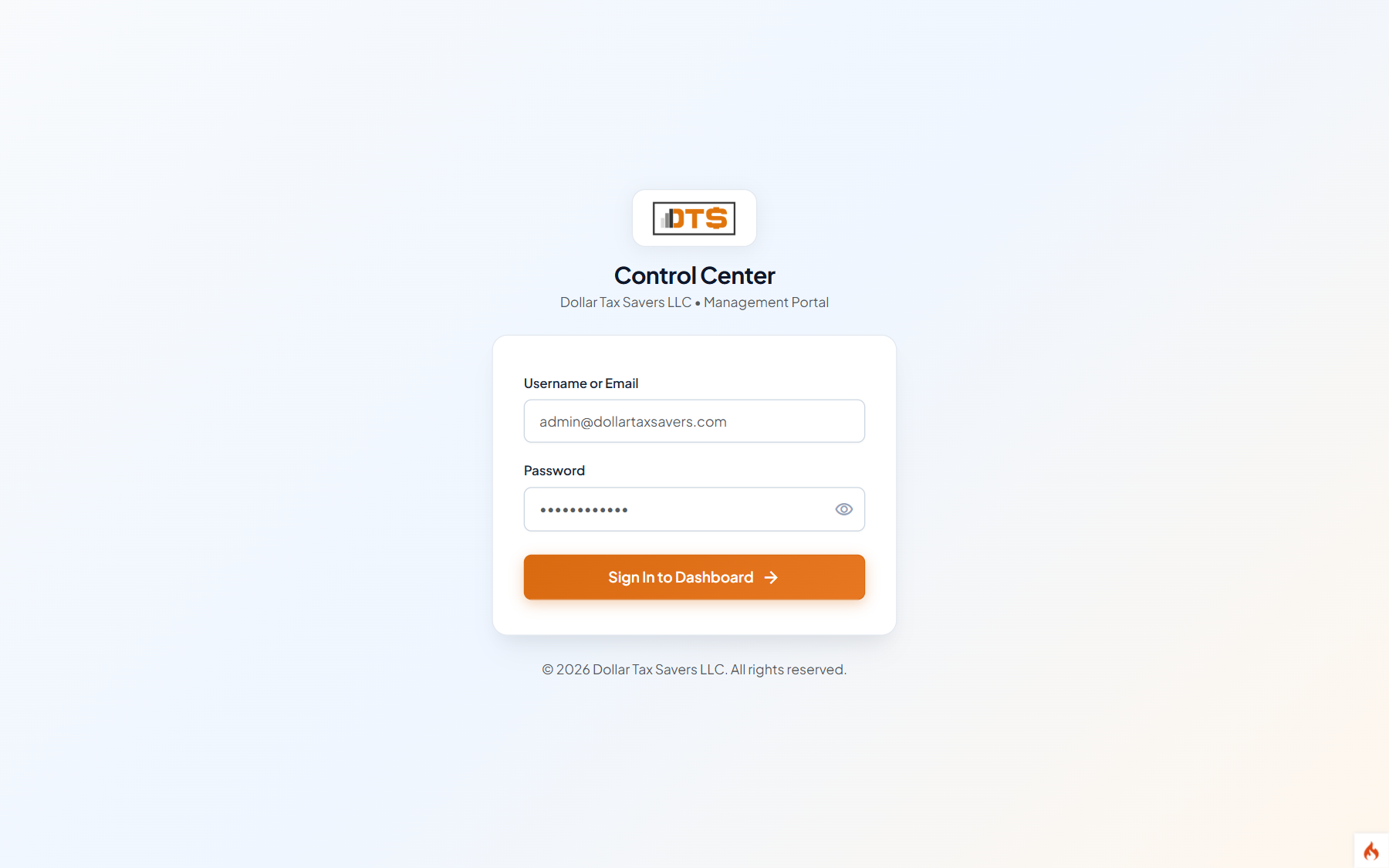
Navigate to the Login Page
Open your modern web browser (Google Chrome, Microsoft Edge, Safari, or Firefox) and visit https://dollartaxsavers.com/admin/login.
Enter Administrator Credentials
Type your assigned administrative Username/Email into the login field and your secure confidential Password.
Click "Sign In"
Upon authentication, you will be redirected to the central administrative Dashboard with an active session token.
Central Admin Dashboard
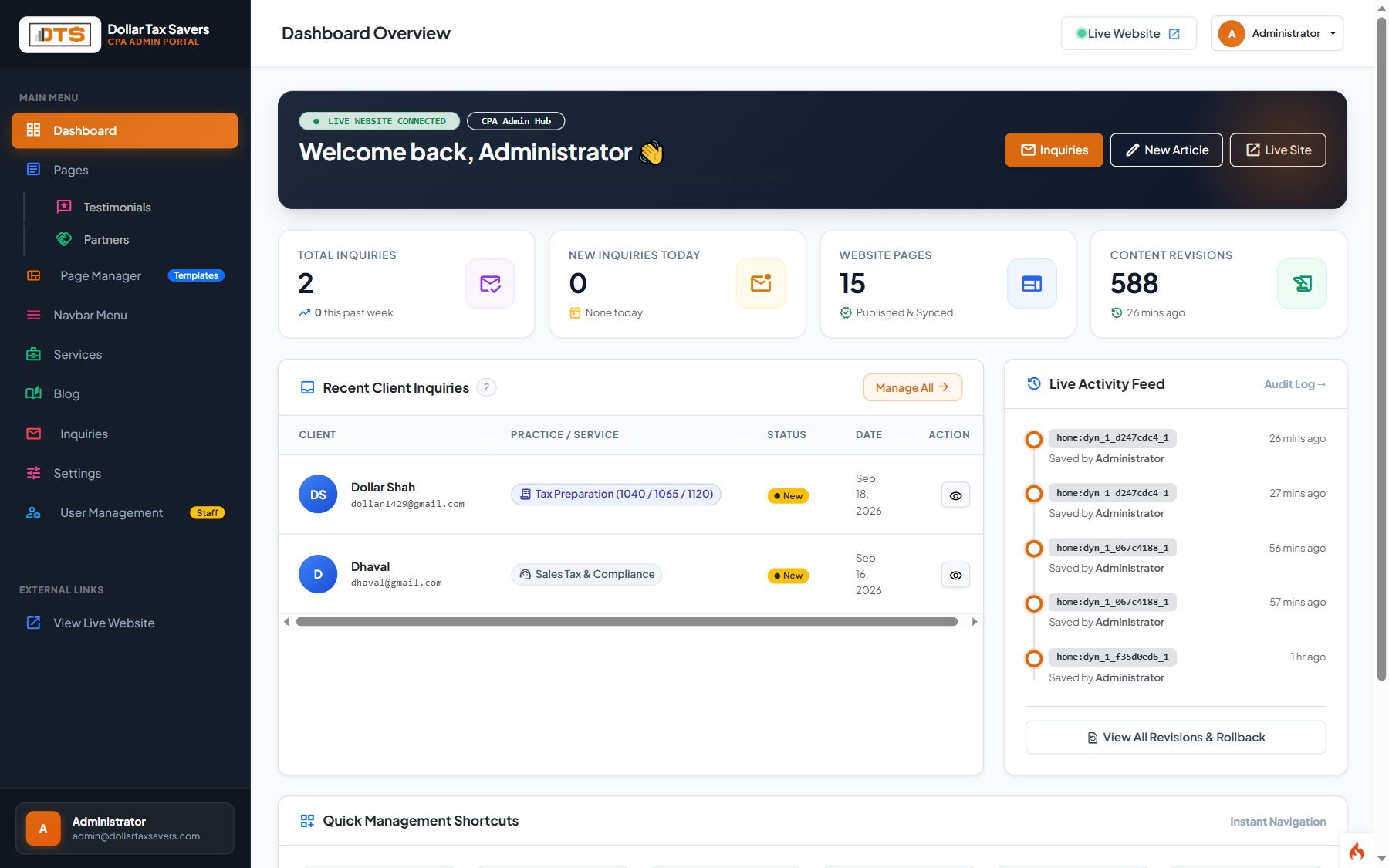
The central command center provides high-level metrics, active practice area counters, pending inquiries, and quick navigation shortcuts.
Unread Inquiry Counter
A yellow badge in the left sidebar highlights any new consultation requests submitted by clients. Click directly on Inquiries to review contact submissions.
Direct Live Site Links
Every editor view features an Open Live Page button in the top right to verify your published updates on the customer-facing website.
Page Manager & Layout Templates
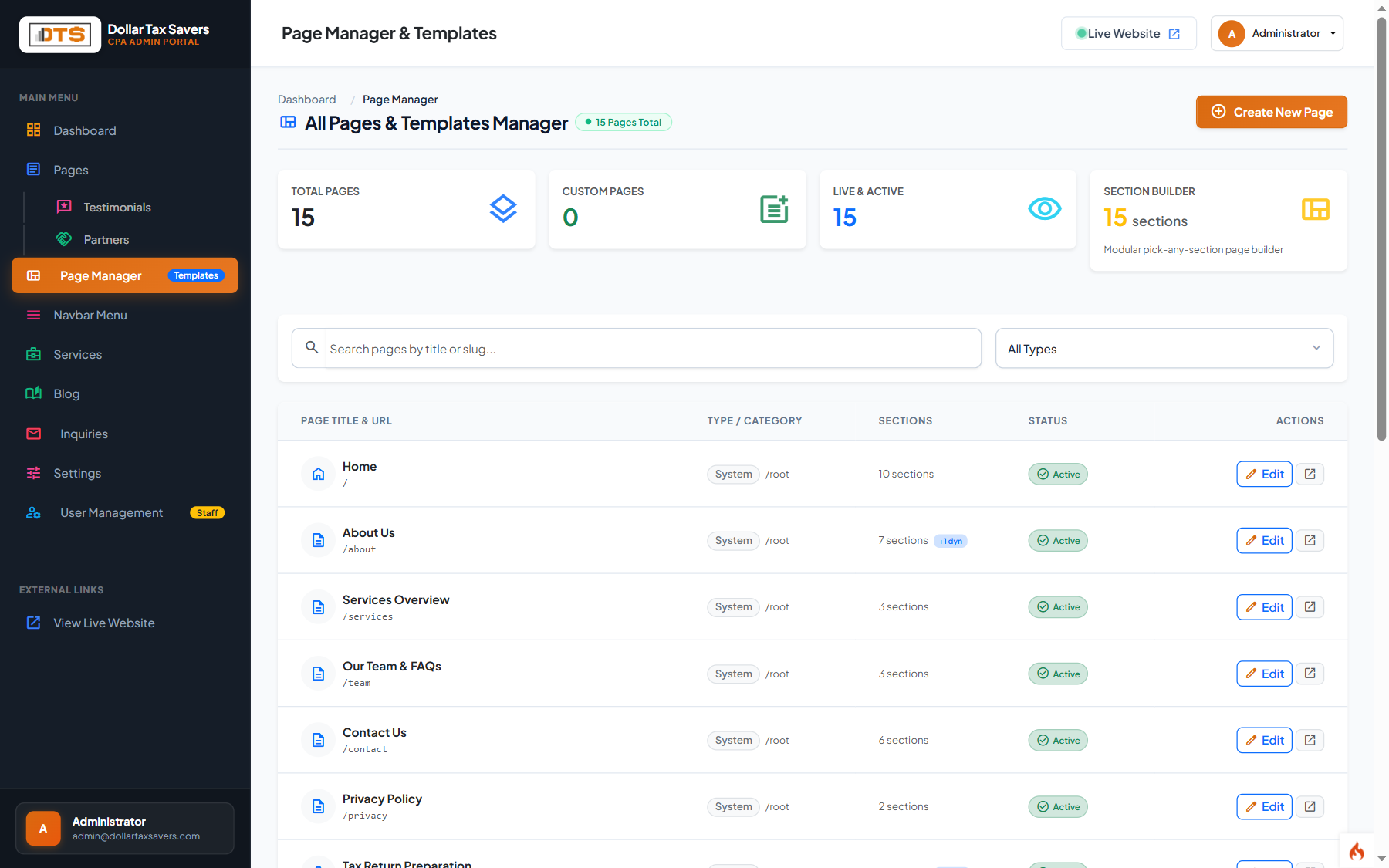
Located under Main Menu > Page Manager, this screen provides an inventory of all pages and allows configuring layout templates.
| Layout Template | Target Pages | Architecture Purpose |
|---|---|---|
| Home Showcase | / (Home) | High-impact slider, credential counters, practice areas grid, flagship spotlights, testimonials marquee, and CPA meet card. |
| Service Detail | /services/* | Structured practice area format with target client profiles, forms checklist, procedures, process flow, and FAQ accordion. |
| Editorial Story | /about | Firm history, founder biography, CPA credentials, office jurisdiction, and methodology. |
| Modular Blocks | Custom Landing Pages | Allows building completely customizable pages by stacking any combination of the 6 dynamic block types. |
Home Page Editing (`/`)
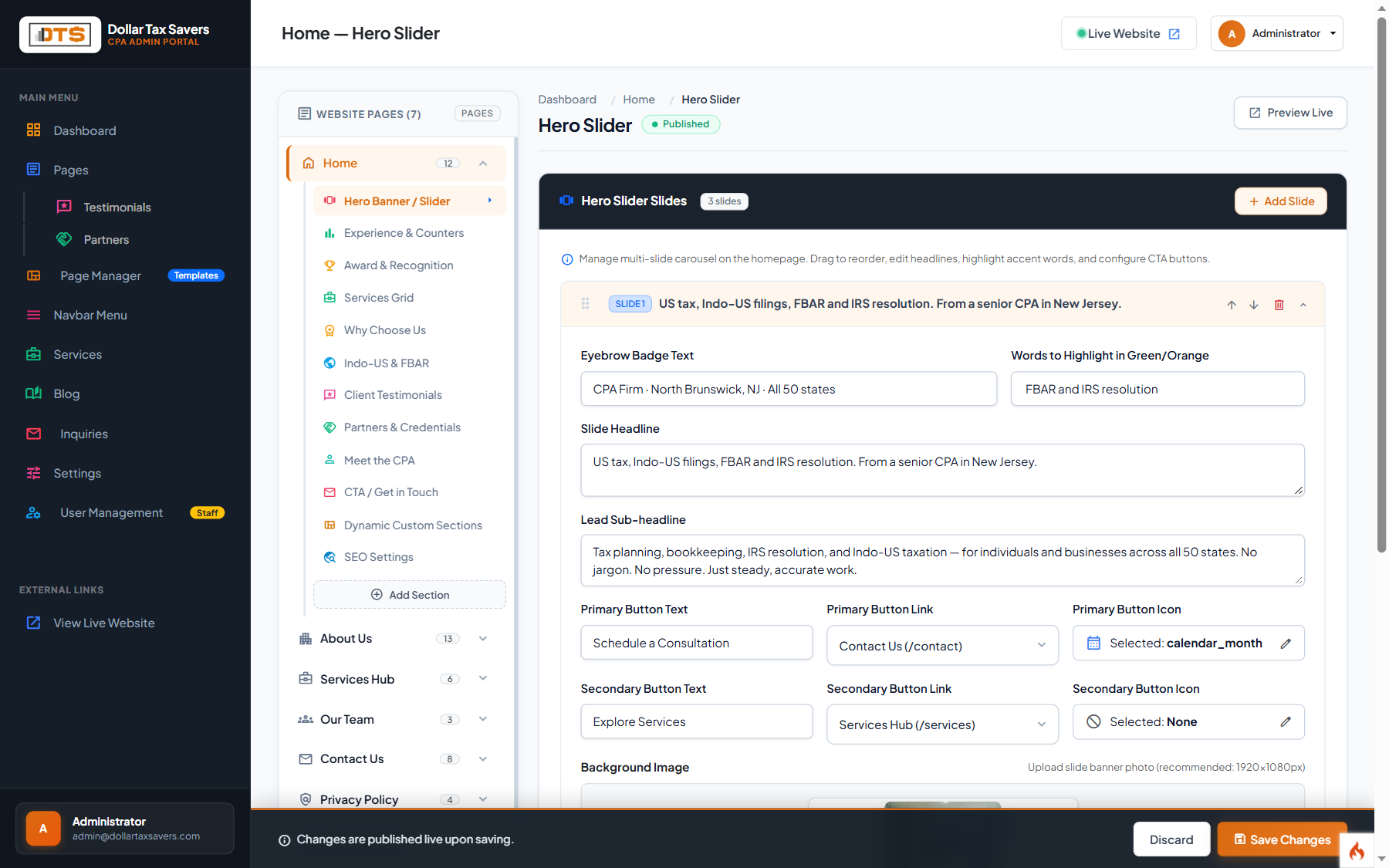
The Home Page is divided into focused sections accessible from the secondary sidebar under Pages > Home:
| Sidebar Sub-Section | CI4 Admin Route | What Can Be Changed Here |
|---|---|---|
| Hero Banner / Slider | /admin/content/home/hero | Main slide titles, subtitle text, badge copy ("North Brunswick, NJ · 50 US States"), CTA button texts and target links, hero background images. |
| Experience & Counters | /admin/content/home/firm | Statistics badges: "30+ Years Experience", "50 States Covered", "100% CPA-Led", "Hundreds of NRI Families Assisted". |
| Award & Recognition | /admin/content/home/award | Certified Tax Coach accreditation details, industry awards, and professional membership accolades. |
| Services Grid | /admin/content/home/services | Section heading, subtitle, and the order of the 9 practice area preview cards displayed on the front page. |
| Why Choose Us | /admin/content/home/why | 4 core value proposition pillars with custom icons, titles, and descriptions explaining the firm's differentiators. |
| Indo-US & FBAR Spotlight | /admin/content/home/indous | High-conversion feature block highlighting NRI/OCI dual-filing, FinCEN Form 114 reporting, and Streamlined procedures. |
| Meet the CPA | /admin/content/home/meet | Vrajesh Shah, CPA profile, bio paragraph, leadership credentials, and founder portrait image. |
| CTA / Get in Touch | /admin/content/home/cta | Bottom conversion strip: title ("Ready to Optimize Your US & International Taxes?"), button link to consultation form. |
| SEO Settings | /admin/content/home/seo | Custom Meta Title, Meta Description, OpenGraph preview title, and keywords specifically for the root home page. |
Dynamic Custom Section Builder
The Dynamic Section Builder is a powerful modular tool that allows you to add custom content sections to any page without writing a single line of code.
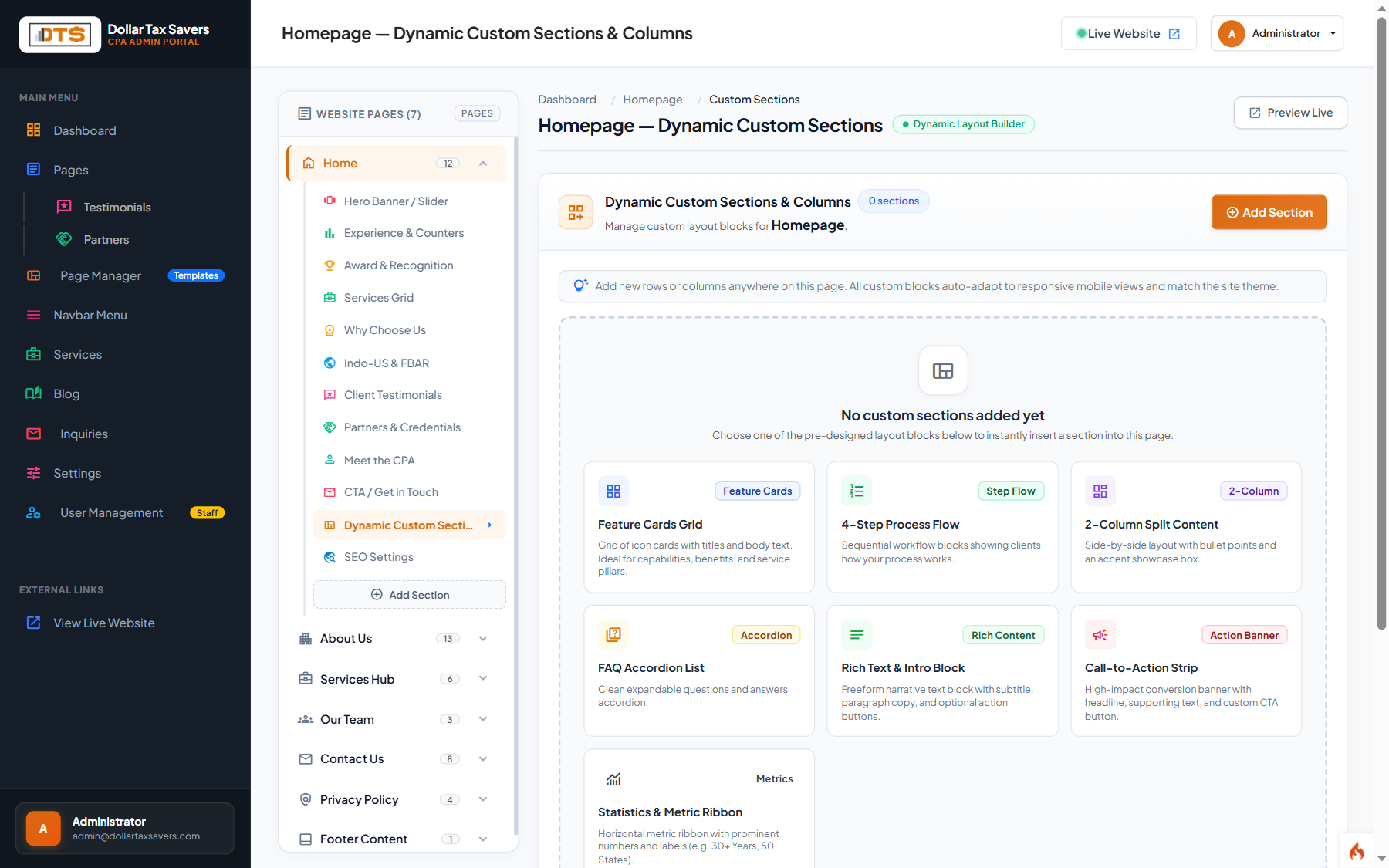
The 6 Available Block Types
1. Feature Cards Grid
Creates a 2, 3, or 4 column grid of feature cards. Each card has a Material Symbol icon, custom title, descriptive text, and optional link.
2. Process Steps Flow
Visual numbered sequence (Step 1, Step 2, Step 3...). Ideal for explaining client onboarding, tax return preparation workflow, or audit defense stages.
3. Split Content Block
Two-column balanced layout with text, bullet points, and CTA buttons on the left, paired with an image, stat highlight card, or key fact callout on the right.
4. FAQ Accordion
Collapsible Question & Answer items. Includes built-in FAQ Schema markup for Google rich snippets in search results.
5. Rich Text Block
Full-width formatted editorial text block for in-depth tax advisory, legal disclaimers, or extended firm announcements.
6. CTA Conversion Strip
Bold horizontal call-to-action banner with headline, supporting text, and action buttons for boosting consultation bookings.
after_hero— Appears immediately below the top hero banner.after_experience— Appears below the stats and firm overview section.before_cta— Appears near the bottom, just above the closing contact callout.after_cta— Appears at the very bottom of the page content before the global footer.
About Us Page Editing (`/about`)
Manage the firm's identity, credentials, mission, approach, and leadership biography under Pages > About Us.
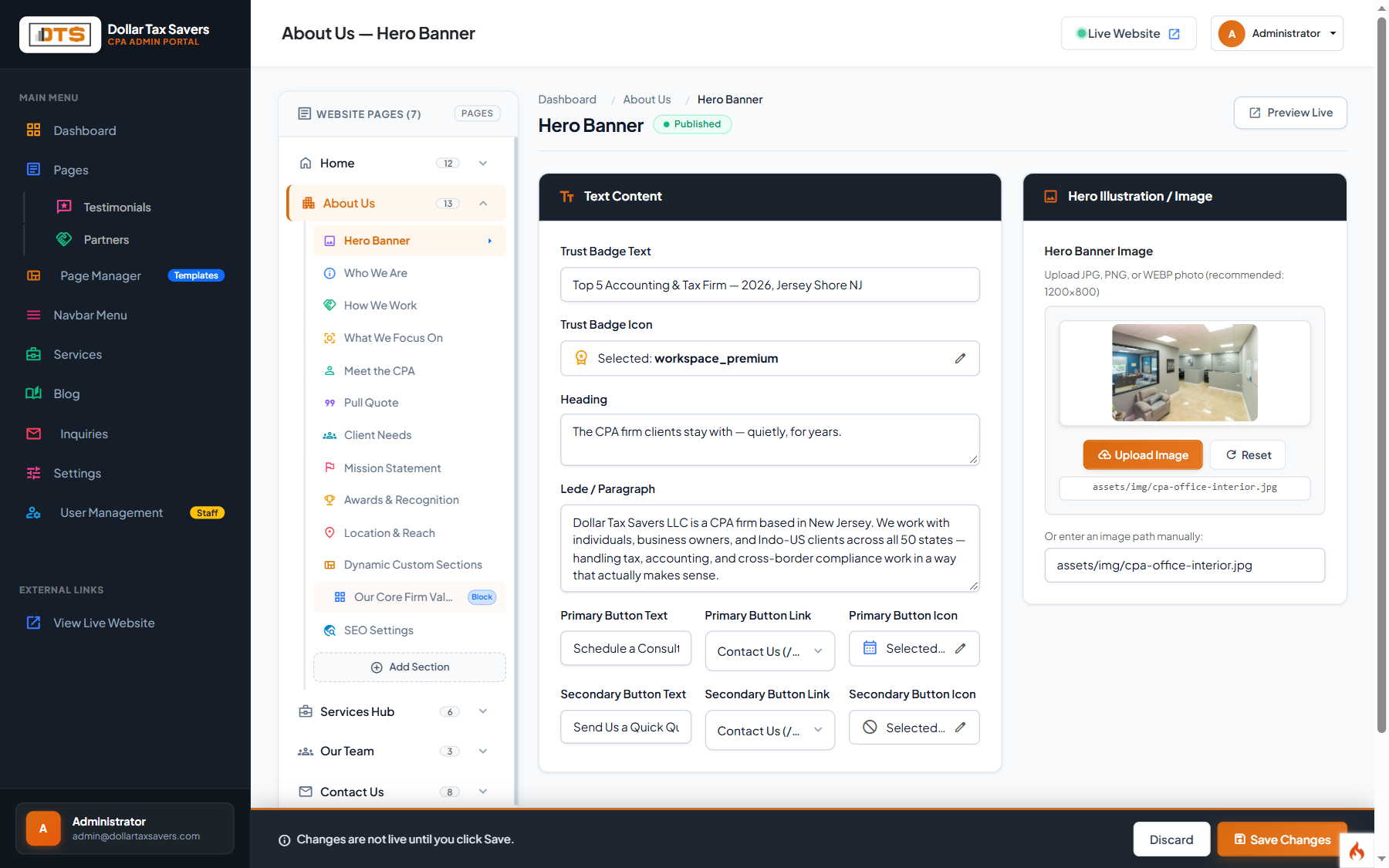
| Section | CI4 Admin Route | Content Description |
|---|---|---|
| Who We Are | /admin/content/about/who | Firm founding history, CPA licensure, 50-state practice scope, and bilingual support (English, Hindi, Gujarati). |
| How We Work | /admin/content/about/approach | The firm's proactive advisory philosophy: personalized attention, year-round tax planning, and secure digital collaboration. |
| What We Focus On | /admin/content/about/focus | Core competencies: Indo-US NRI tax, FBAR disclosure, small business bookkeeping, and corporate entity structuring. |
| Meet the CPA | /admin/content/about/meet | Comprehensive biography of Vrajesh Shah, CPA, his Certified Tax Coach credential, and 30+ years of US tax experience. |
| Location & Reach | /admin/content/about/location | North Brunswick, New Jersey office headquarters details and nationwide virtual tax filing capabilities. |
Services Hub Overview (`/services`)
The main Services directory page presents the firm's 9 core practice areas to prospective clients.
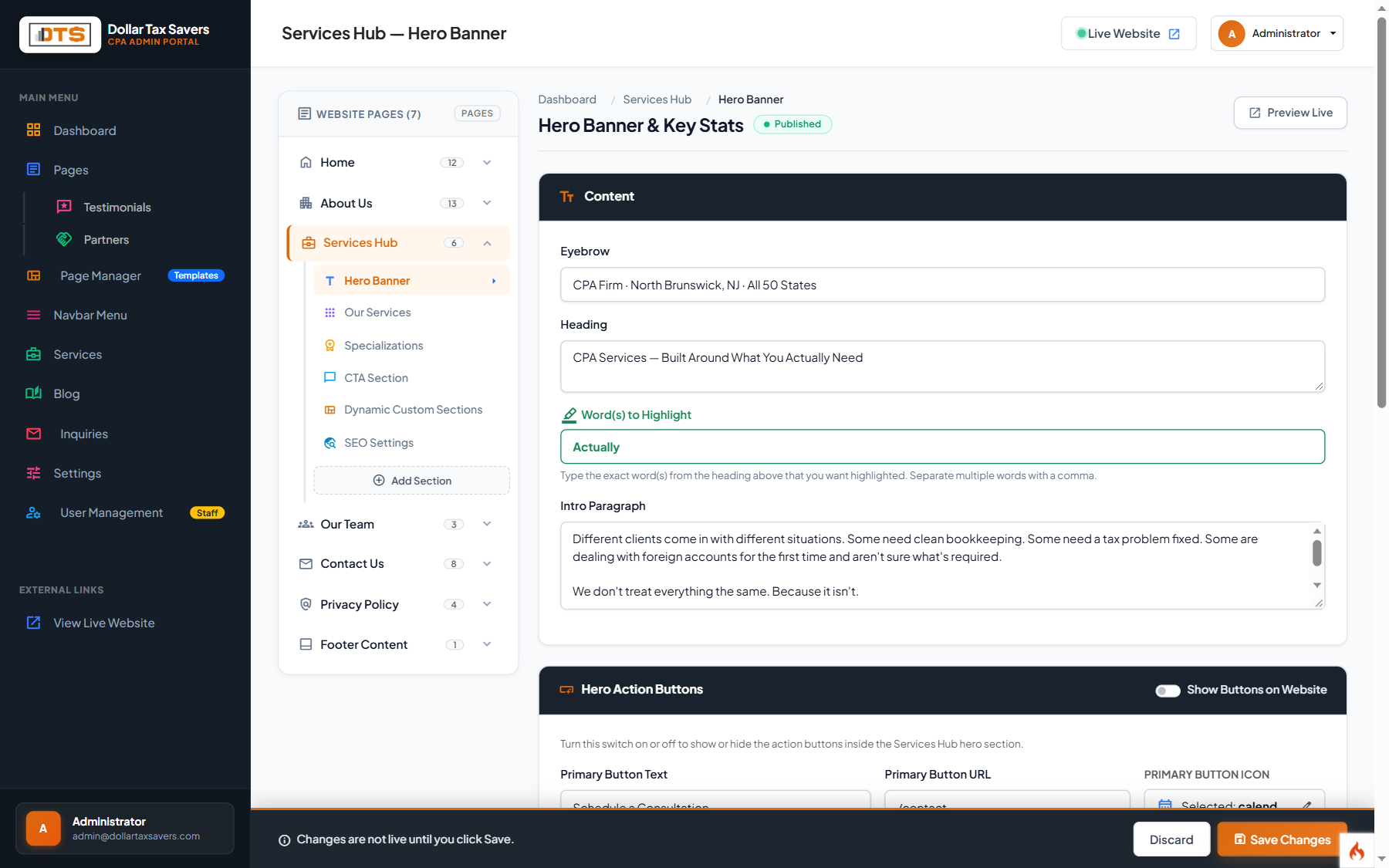
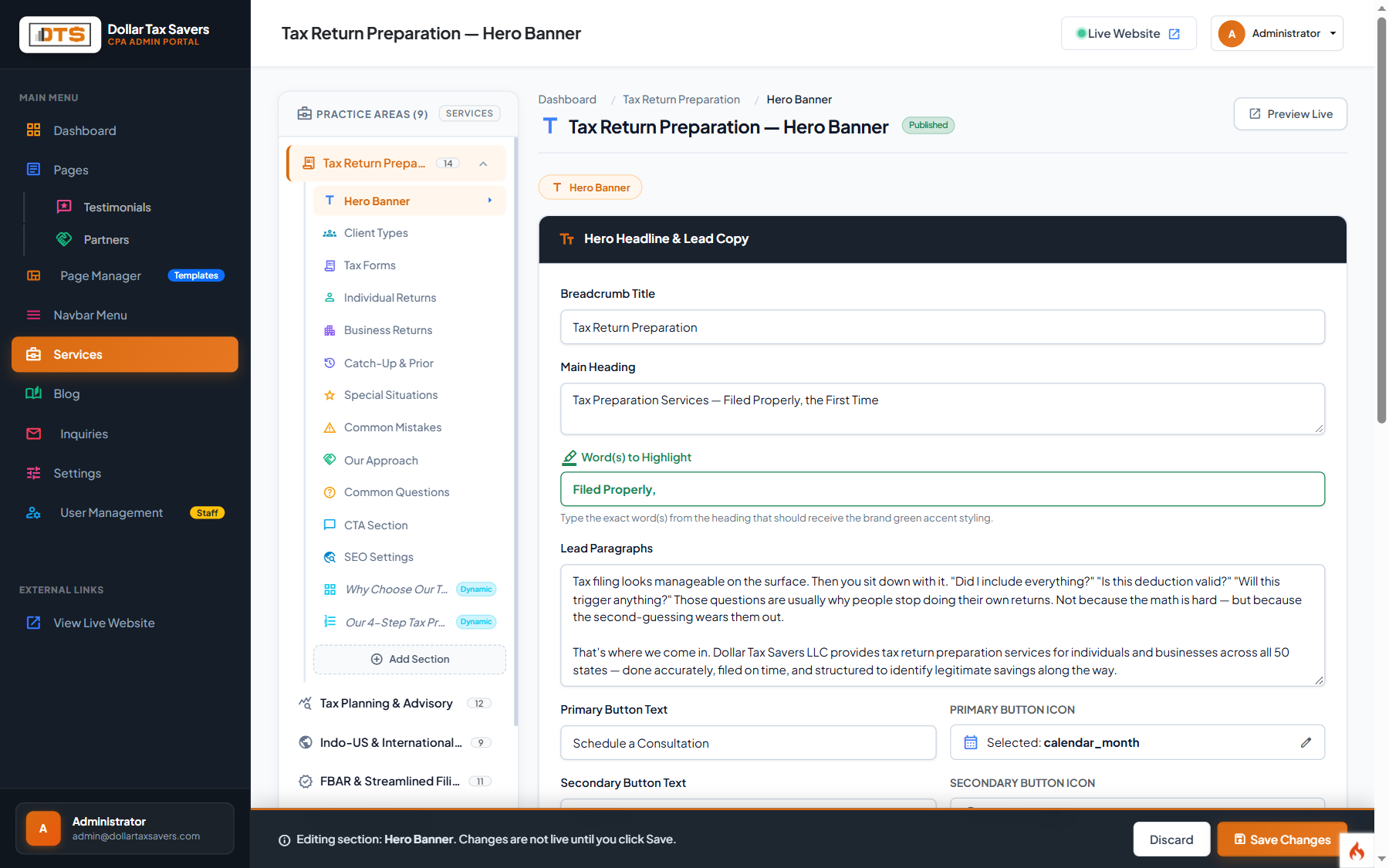
Practice Area 1: Tax Return Preparation
Located at /services/tax-return-preparation. Manages individual (1040) and business returns (1065, 1120, 1120S, 1041, 990).
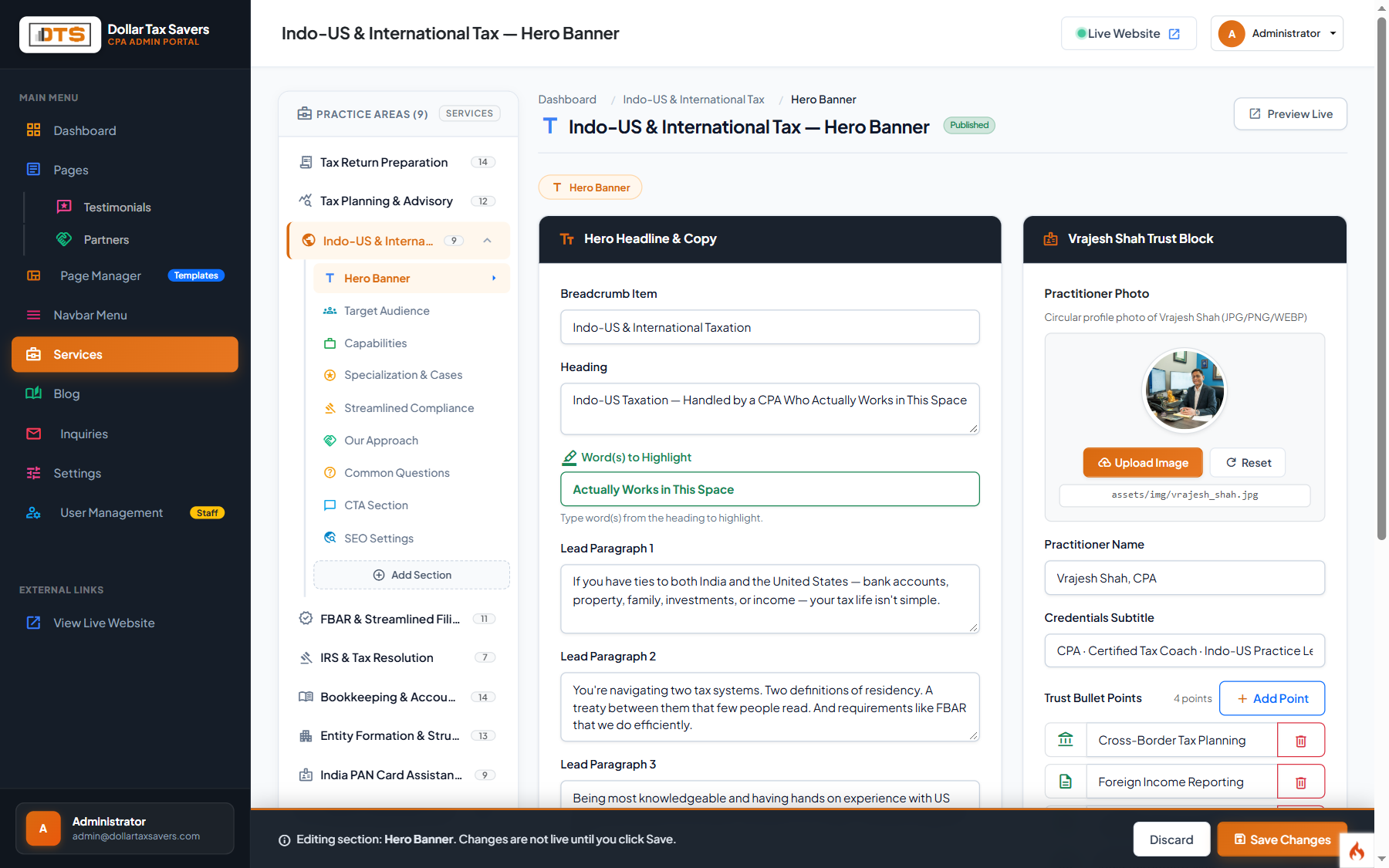
Practice Area 2: Indo-US International Tax (Flagship)
Located at /services/indo-us-international-tax. This flagship specialty covers NRI/OCI dual taxation, foreign tax credits, DTAA treaties, and cross-border assets.
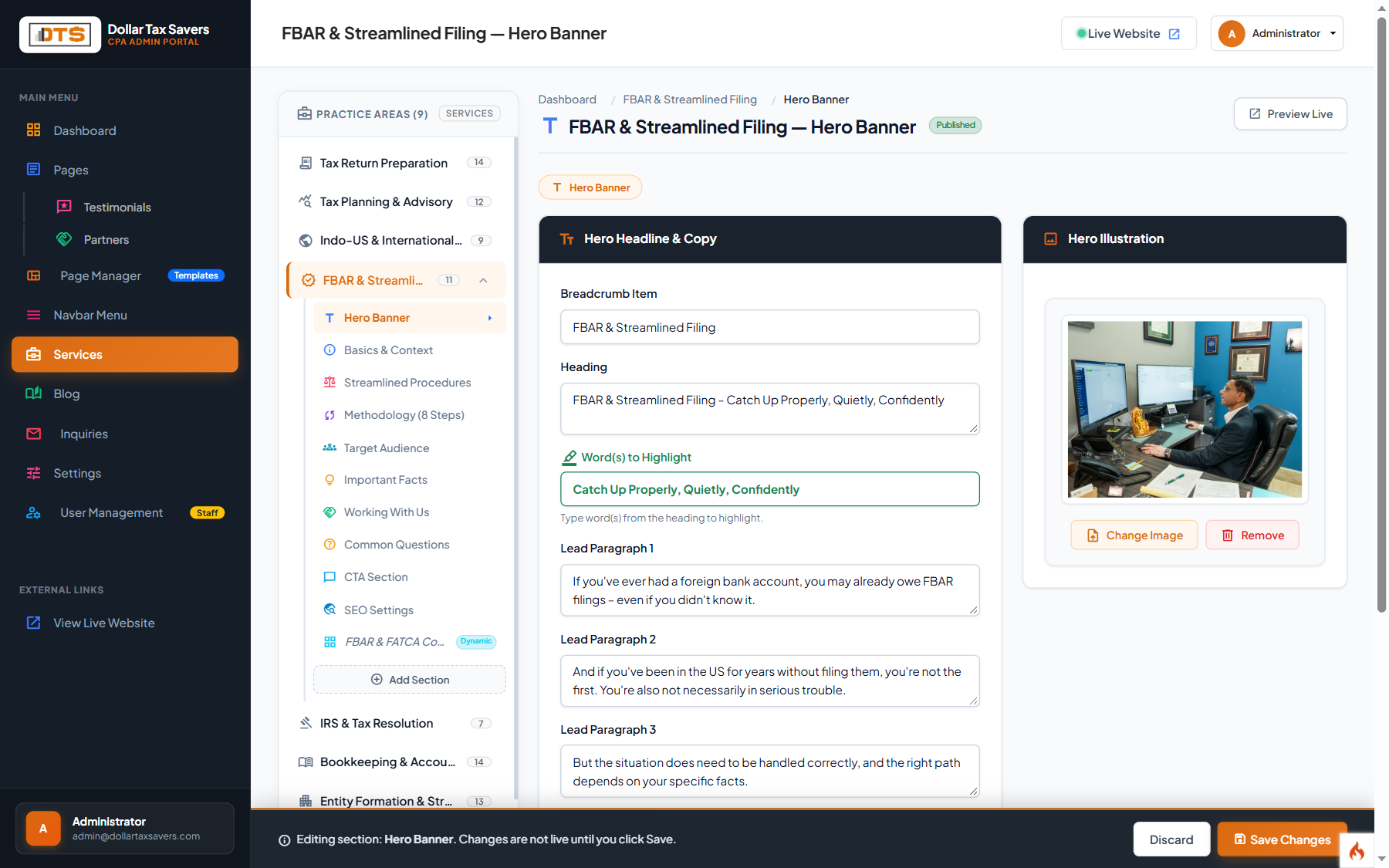
Practice Area 3: FBAR & Streamlined Filing (Flagship)
Located at /services/fbar-streamlined-filing. Covers FinCEN Form 114, Streamlined Filing Compliance Procedures, offshore penalty relief, and 8-step methodology.
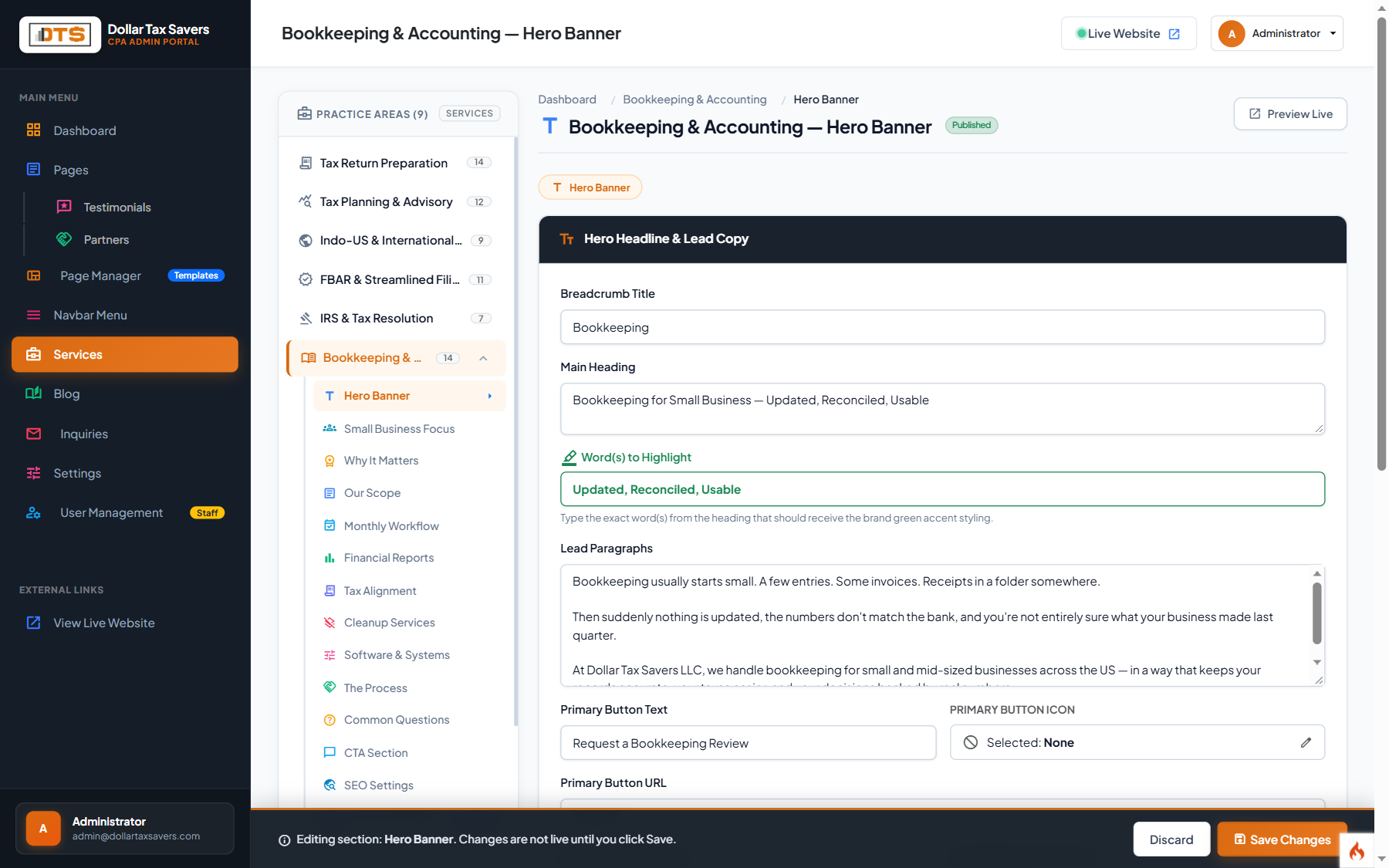
Practice Area 4: Bookkeeping & Accounting
Located at /services/bookkeeping. Covers monthly P&L reports, balance sheets, accounts reconciliation, and QuickBooks/Xero cleanup.
Remaining Practice Areas Quick Reference
All 9 practice areas follow the same intuitive multi-tab structure. Access any service directly from the sidebar:
| Service Name | URL Slug | CI4 Admin Route | Key Settings & Focus |
|---|---|---|---|
| Tax Planning & Advisory | /services/tax-planning | /admin/services/tax-planning | Certified Tax Coach credentials, Prep vs Planning comparison matrix, court-tested strategies. |
| IRS & Tax Resolution | /services/irs-tax-resolution | /admin/services/irs-tax-resolution | IRS audit defense, Notice CP2000 responses, Offer in Compromise (OIC), penalty abatements. |
| Entity Formation & Structuring | /services/entity-formation | /admin/services/entity-formation | LLC vs S-Corp vs C-Corp structuring table, Delaware/Wyoming/NJ comparisons, EIN filings. |
| India PAN Card Assistance | /services/india-pan-card-assistance | /admin/services/india-pan-card-assistance | Form 49A/49AA applications, NRI PAN card corrections, identity checklist. |
| Notary & Apostille Services | /services/notary-apostille | /admin/services/notary-apostille | NJ notary public appointments, document apostilles for India/international consulates. |
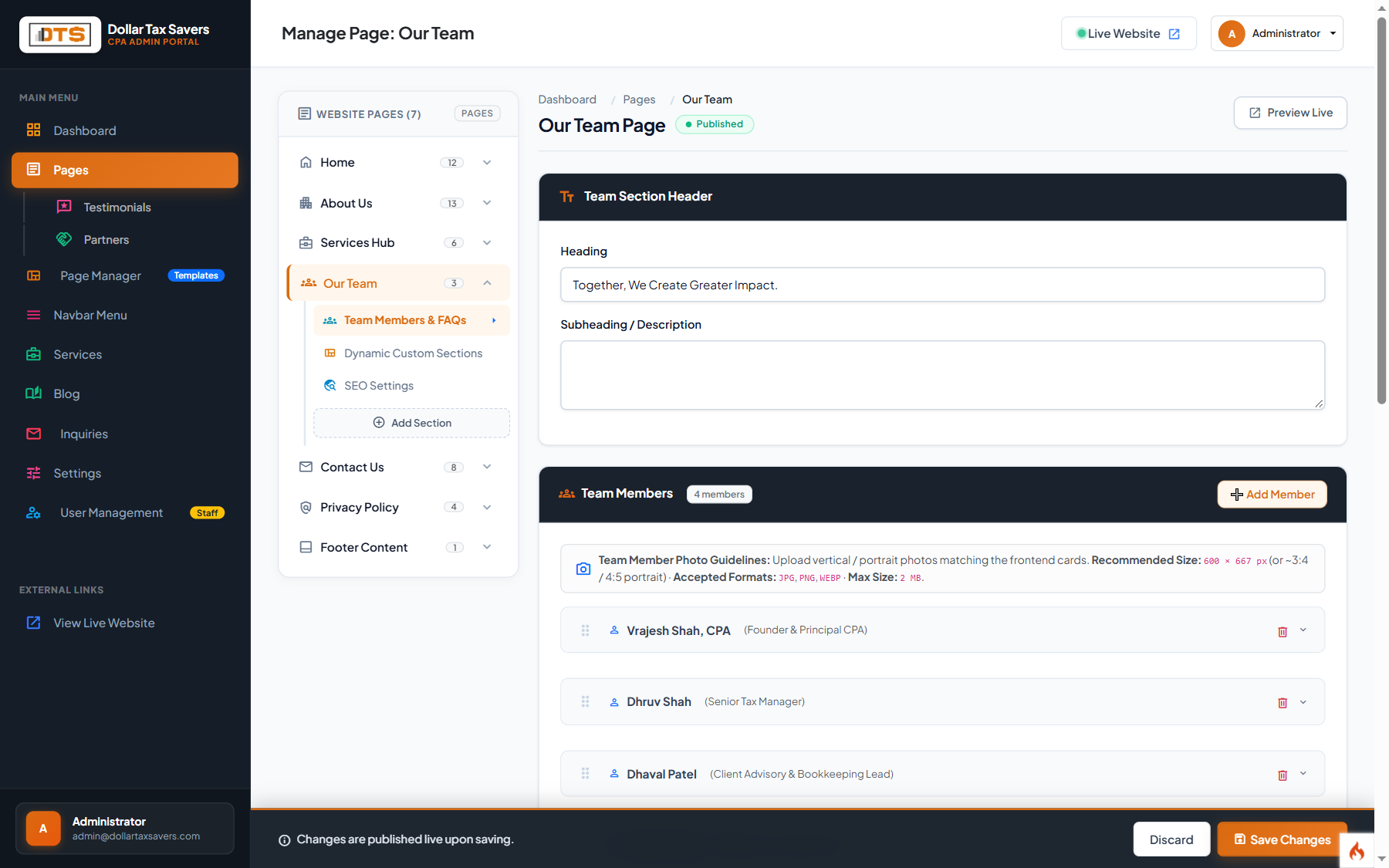
Team Members & Full-Width FAQs (`/team`)
Manage staff member profiles, titles, headshots, credentials, and the global FAQ accordion under Main Menu > Team.
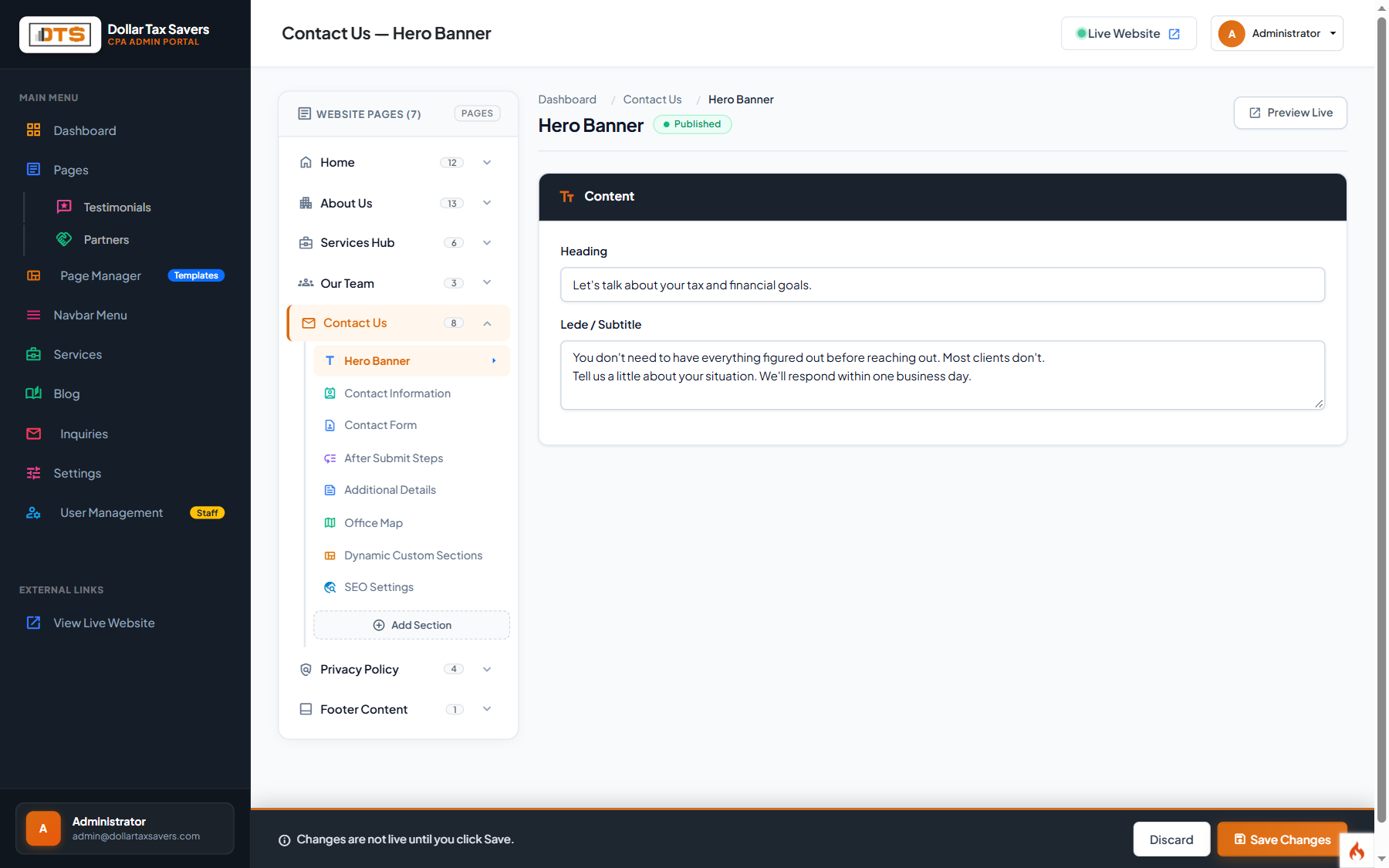
Contact Us Page Editing (`/contact`)
Configure the physical office address, direct telephone lines, support email, interactive Google Maps embed, and post-submission steps.
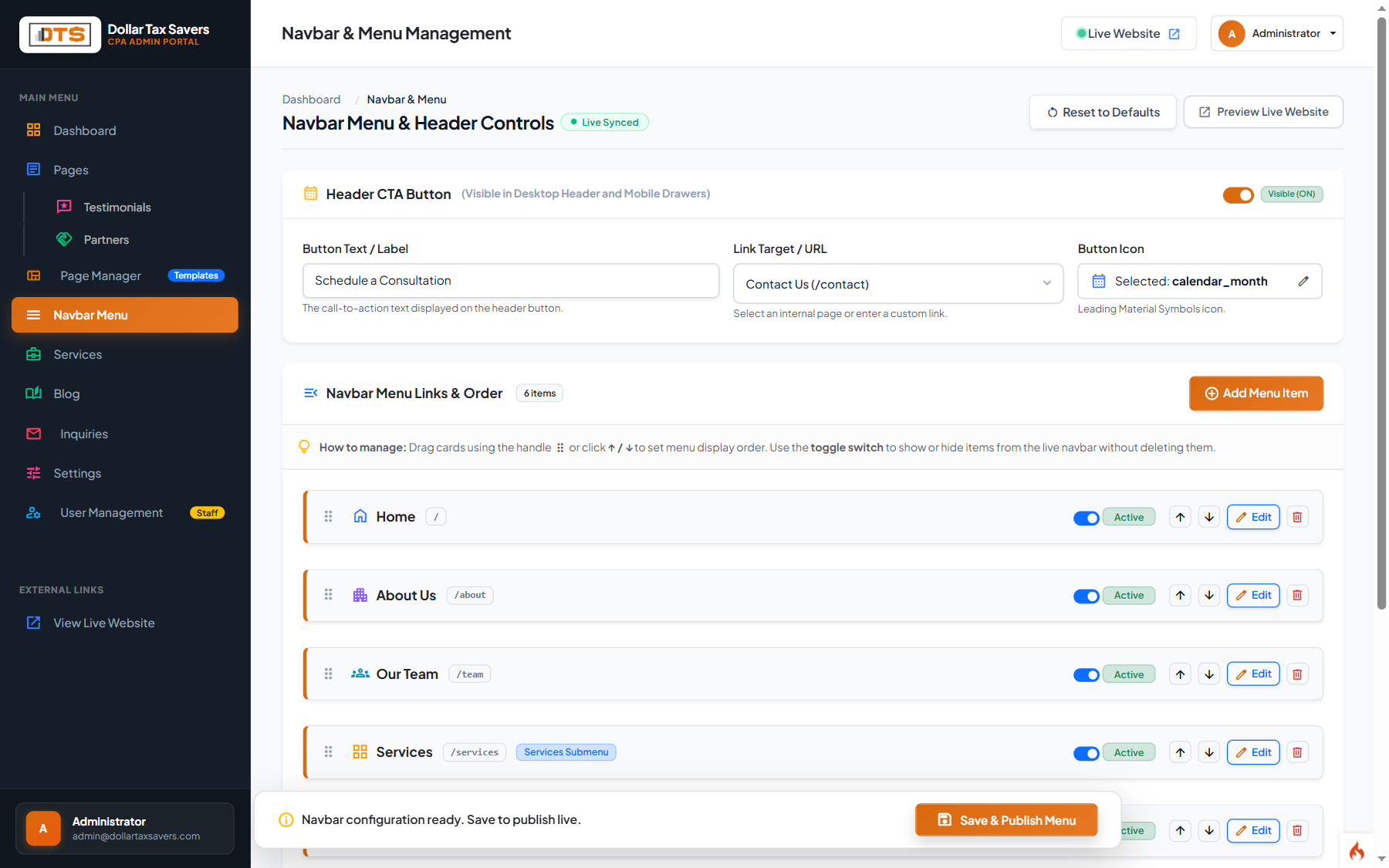
Navbar Menu Management
Configure the main header navigation menu displayed across every page of the website under Main Menu > Navbar Menu.
Blog Management & Tax Articles (`/blog`)
Publish timely tax alerts, IRS deadline reminders, NRI tax updates, and educational guides under Main Menu > Blog.
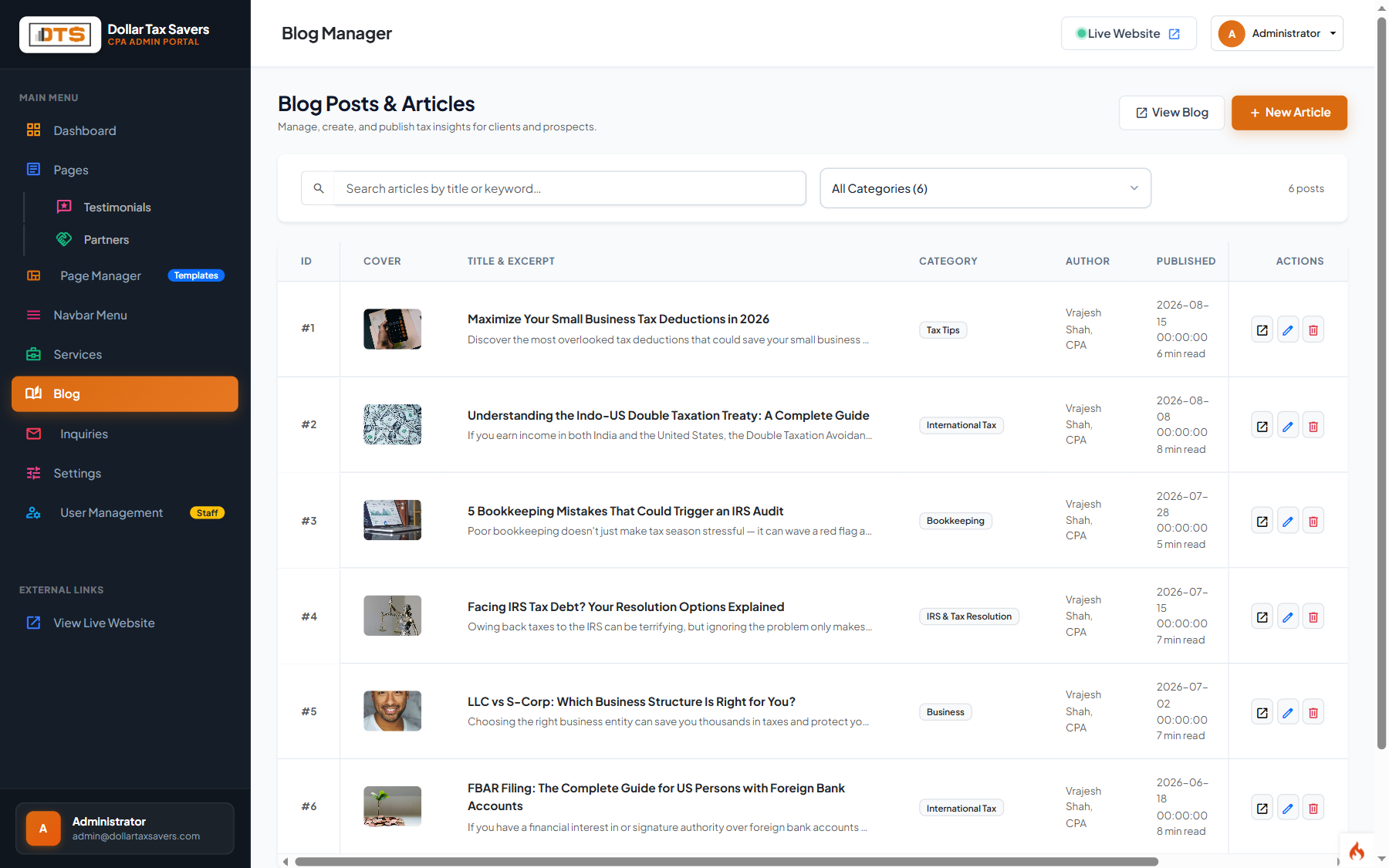
Add New Article
Click the + New Article button at the top of the Blog Manager screen.
Enter Article Details
Provide the Article Title, URL Slug (e.g. fbar-deadlines-2026), Category (e.g. International Tax), and Excerpt summary.
Write Content & Upload Featured Image
Use the WYSIWYG editor to format headings, bullet points, and paragraphs. Upload a clean horizontal image (1200x630px recommended).
Publish and Feature
Toggle Published to make it live. Enable Featured to highlight this article on the website home page.
Client Consultations & Inquiries
Review prospective client submissions from the website contact and booking forms under Main Menu > Inquiries.
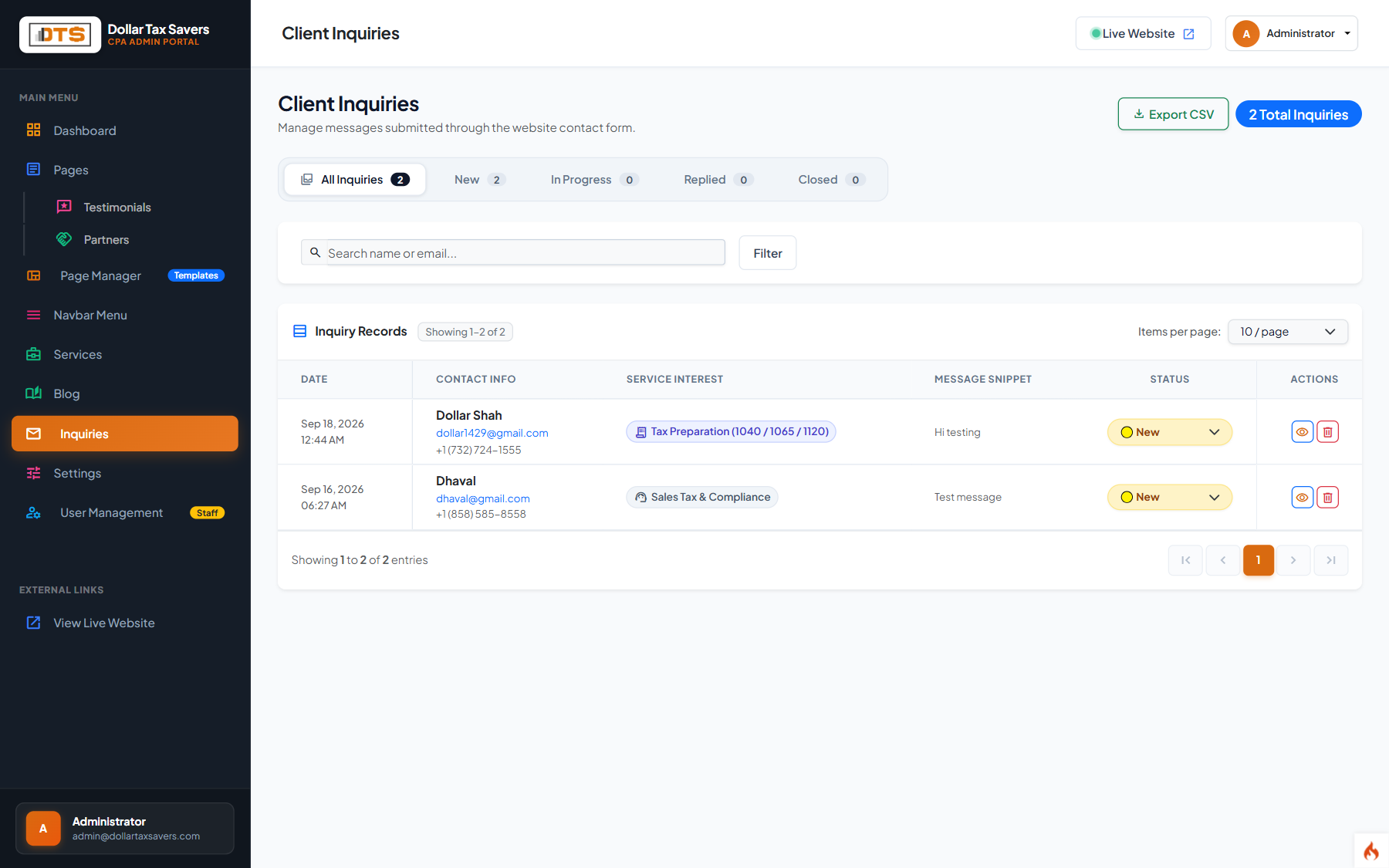
Status Pipeline Tracking
Update the status dropdown for any lead: New → In Progress → Contacted → Closed. Keeps staff aligned on follow-ups.
Export to CSV / Excel
Click the Export CSV button at any time to download a complete spreadsheet of inquiries for CRM import or offline client follow-up.
Client Testimonials & Reviews
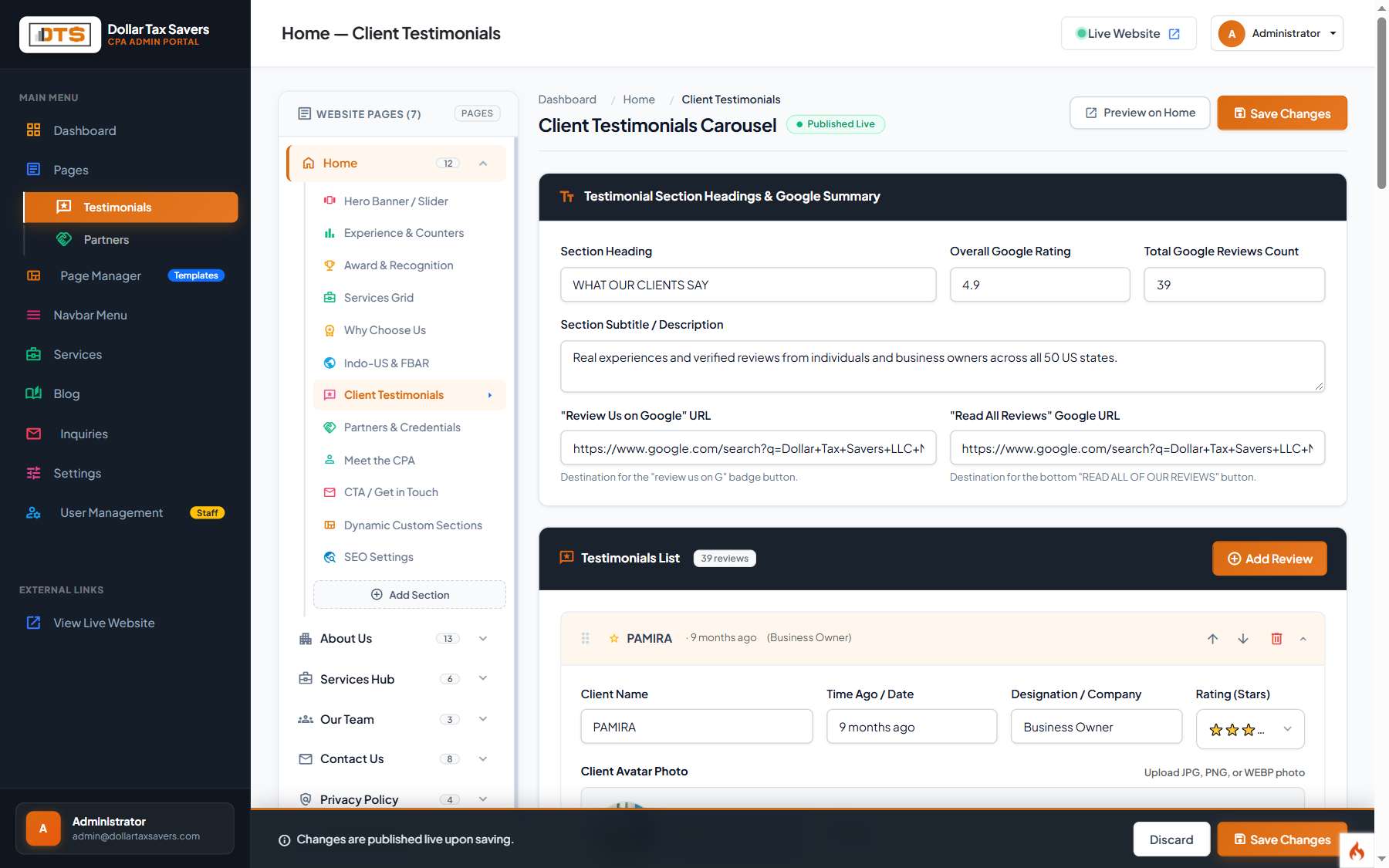
Manage client success stories, ratings, and quotes displayed on the Home Page and practice area pages under Main Menu > Testimonials.
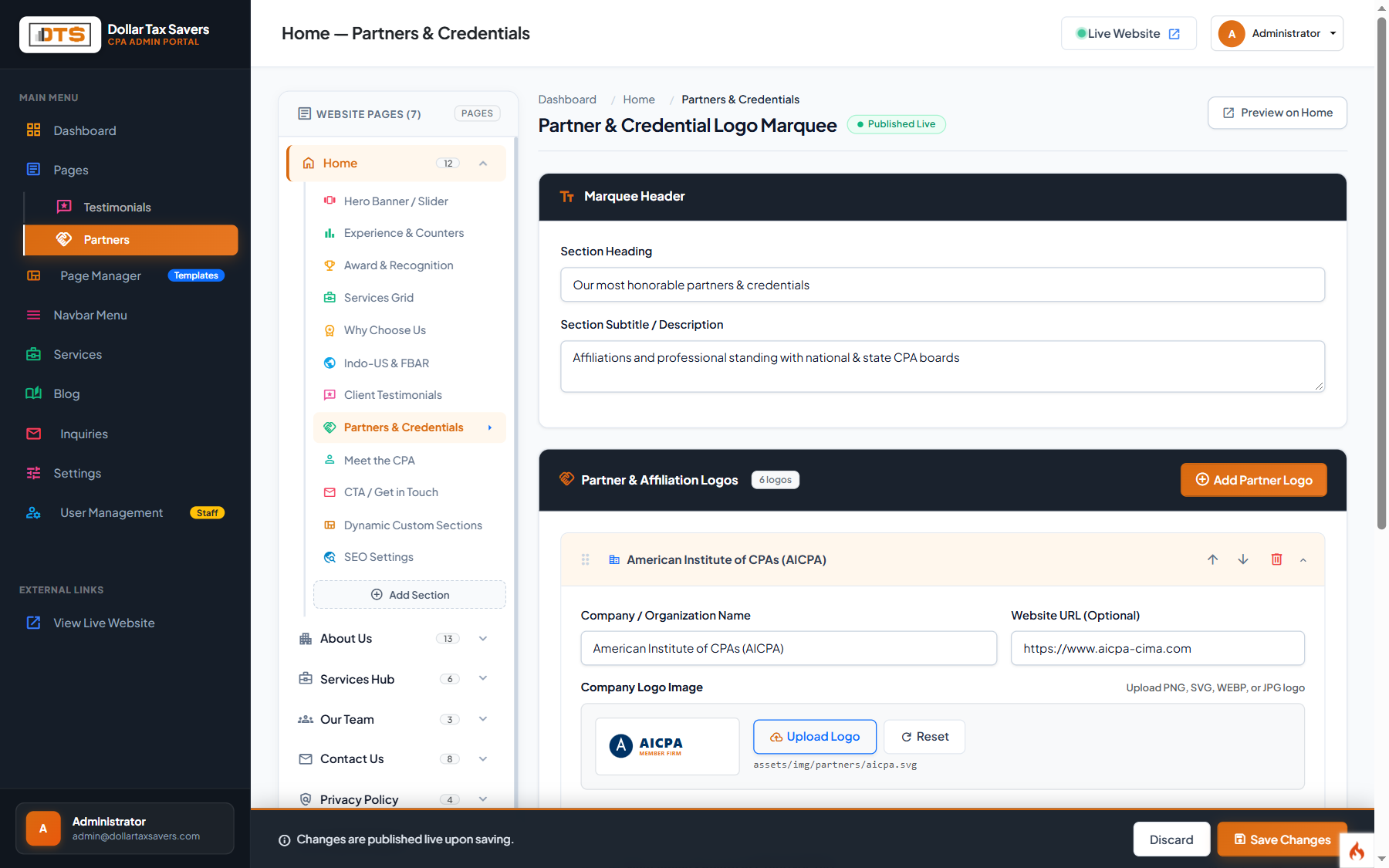
Partner Logos & Credentials
Manage professional association badges (AICPA, NJCPA, Certified Tax Coach) and partner logos under Main Menu > Partners.
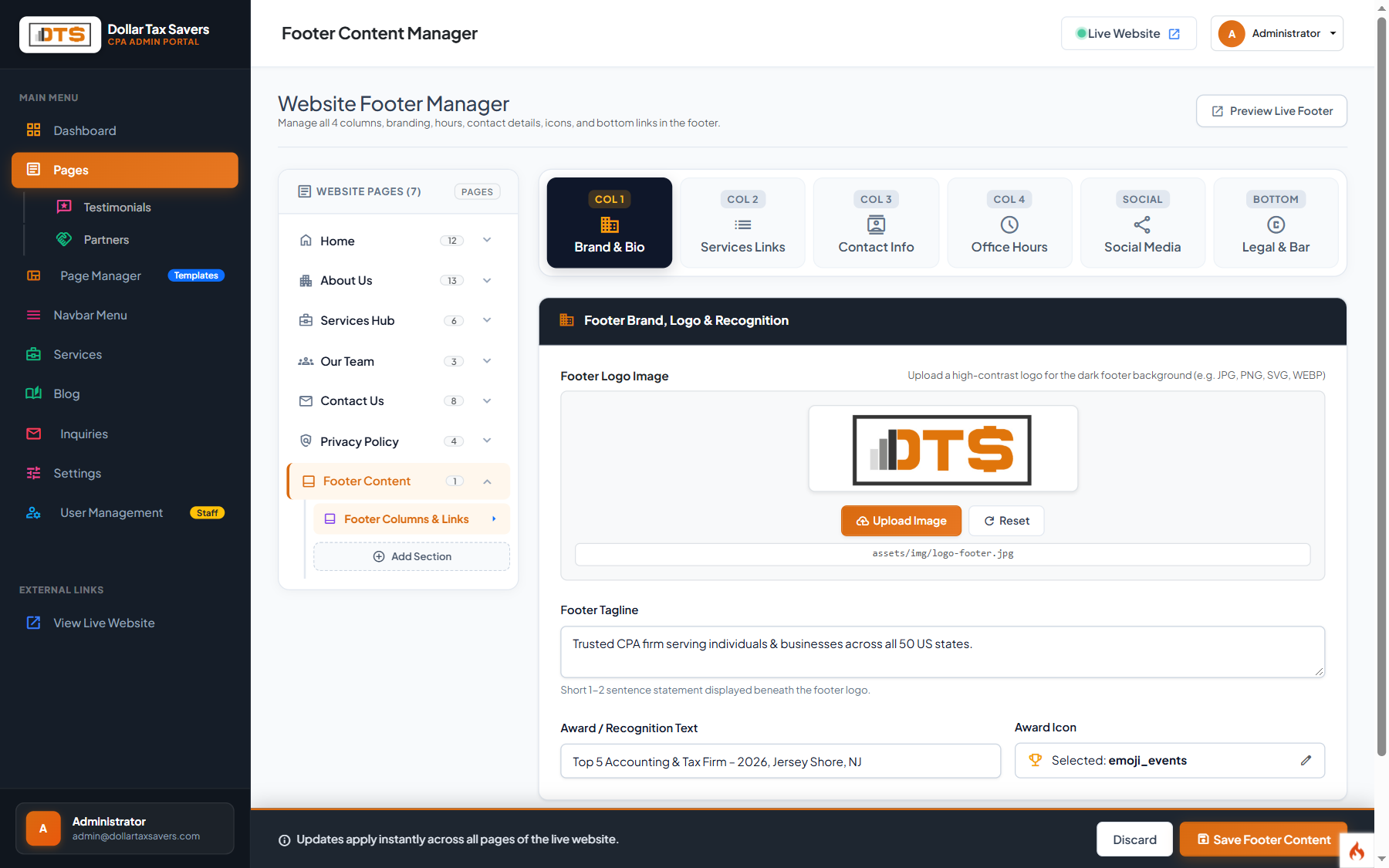
Global Footer Content
The footer renders across all public pages. Update company description, column links, and legal disclosures under Main Menu > Footer.
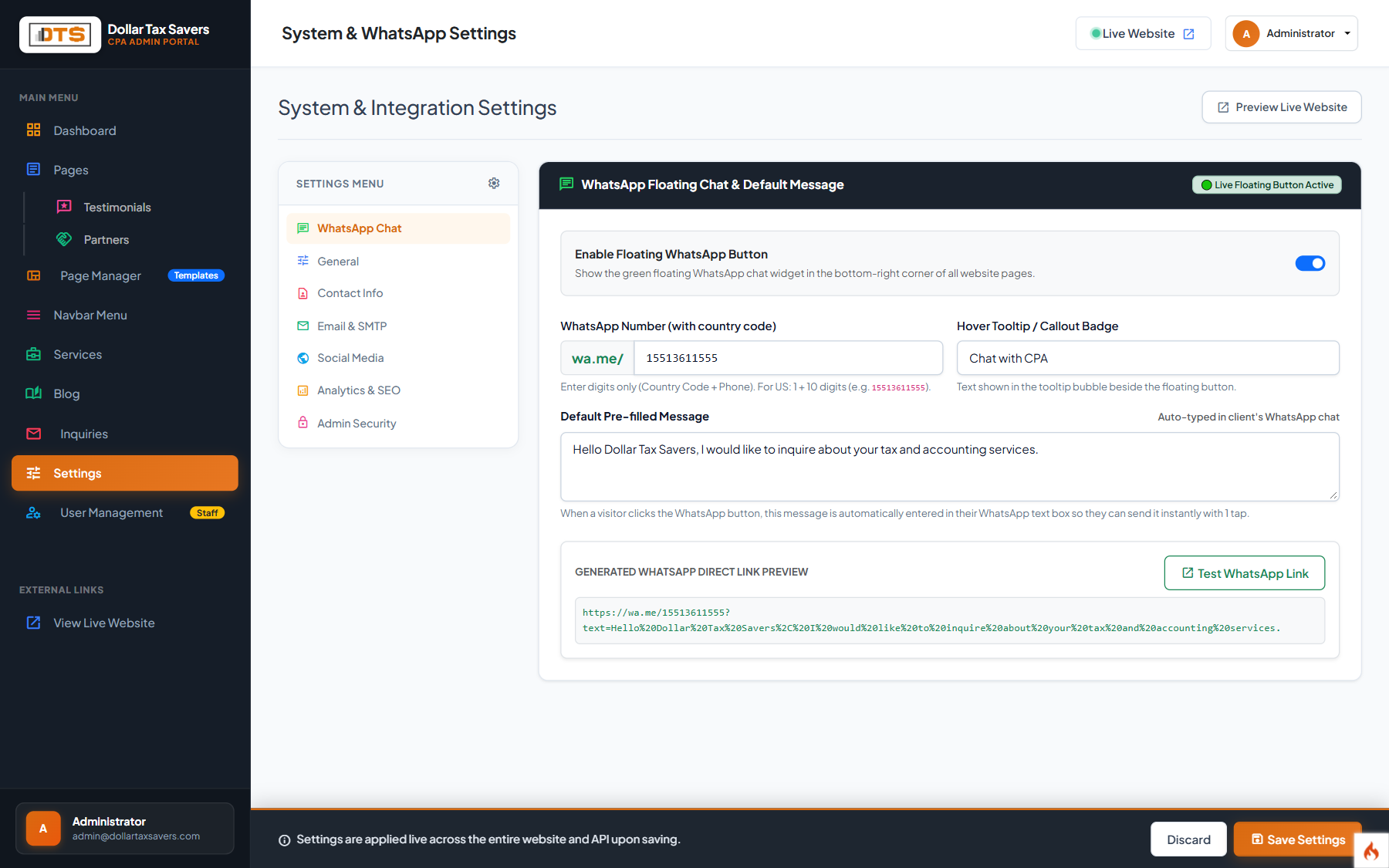
Global Firm Settings & SEO Defaults
Configure sitewide company contact details, social media URLs, office operating hours, and tracking scripts under Main Menu > Settings.
| Setting Field | Standard Value / Example | Usage on Website |
|---|---|---|
| Firm Name | Dollar Tax Savers LLC | Displayed in browser title bar, header brand logo, and footer copyright. |
| Main Phone Number | (732) 422-7770 | Generates clickable tel: links in the website header, contact page, and footer. |
| Contact Email | info@dollartaxsavers.com | Generates clickable mailto: links and destination for inquiry notifications. |
| Office Address | North Brunswick, NJ 08902 | Displayed in local business schema markup and physical location badges. |
| Office Operating Hours | Mon – Fri: 9:00 AM – 6:00 PM EST | Shown on Contact Us page and footer contact box. |
| Header Tracking Code | <script> Google Analytics 4 </script> | Injected safely into the <head> of all public web pages for visitor analytics. |
- Log in to the Admin Portal (
https://dollartaxsavers.com/admin/login) using your authorized administrator credentials. - Select the target page or practice area from the left sidebar navigation.
- Edit the headlines, paragraphs, bullets, images, or FAQ items using the standard form inputs.
- Click the green Save Changes button at the top or bottom of the editor view.
- Click Open Live Page in the top header to preview your changes live on the customer website!